How to stop steam from updating BG3 - useful when you mod the game and a patch is coming
Guide By Maze
When you mod BG3, after every patch - expect some mods to break
Note
If you have native mod loader -> reinstall it. It can get overwritten after a patch
The following mods will probably break:
- Script Extender (SE)
- UI mods (Such as Improved UI and Plus UI)
- Native mods (Such as Native Camera Tweaks and WASD Character Movement)
Note
Native Mods may be able to be fixed by re-downloading Native Mod Loader as it can be overwritten when the game gets patched
How to have steam active and run BG3 through BG3MM:
Right click on BG3 and choose properties
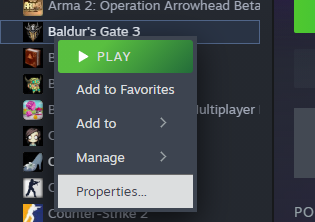
This will come up, now click on Updates
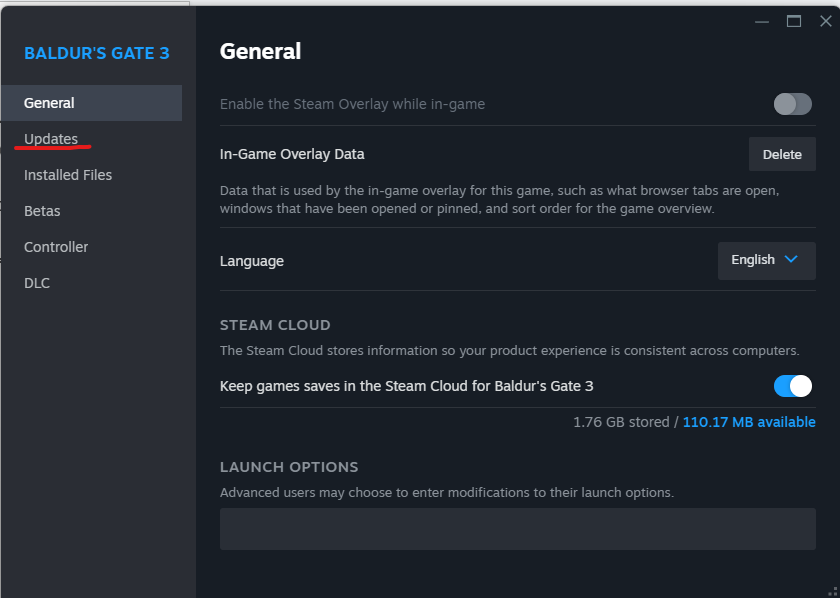
Set it to Only update this game when I launch it

BG3MM Configuration
Click on settings, then preferences

Make sure Launch Through Steam is unchecked
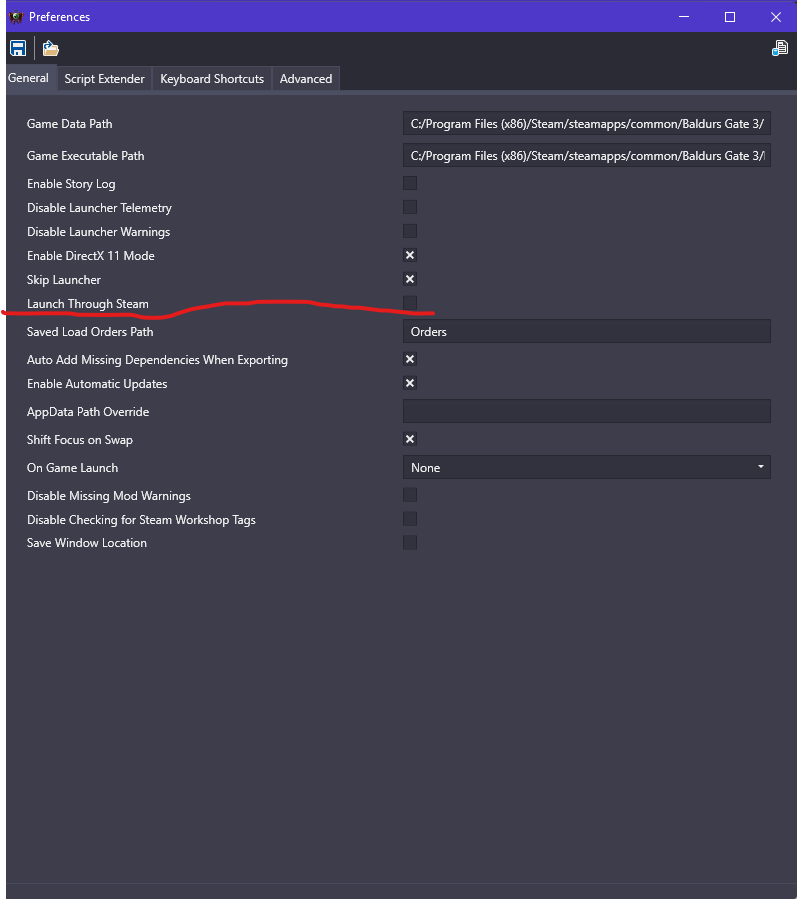
You may also have to have skip launcher checked so you do not open via launcher
Tip
Make sure that when you open the launcher if you are on Vulkan or DirectX11 - if you use DirectX11, click the “Enable DirectX 11 Mode” -> if you use Vulkan, then you do not need to do anything. BG3MM defaults to Vulkan
Now you can just click here in BG3MM:

Tip
Make sure to close Steam before you launch
And it will launch the game, and your game should not be updating when you launch it because it does not launch through steam.
Second Method
Tip
Make sure to set BG3 to update on launch, so it does not automatically start downloading the patch (so follow first steps above)
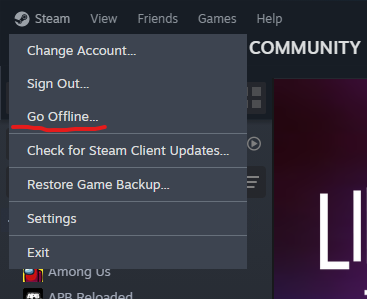
Otherwise, just go offline on steam and launch normally
Credits: Maze, Meowcat285
© Maze 2024, all rights reserved