How to reinstall Script Extender
Guide by Maze
Go to your BG3 bin folder
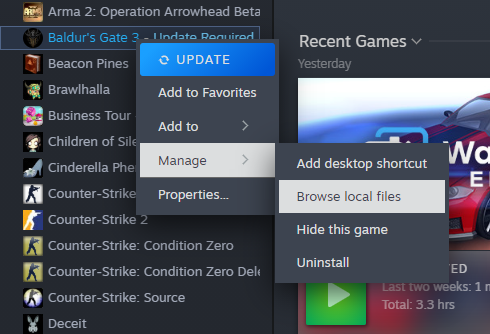
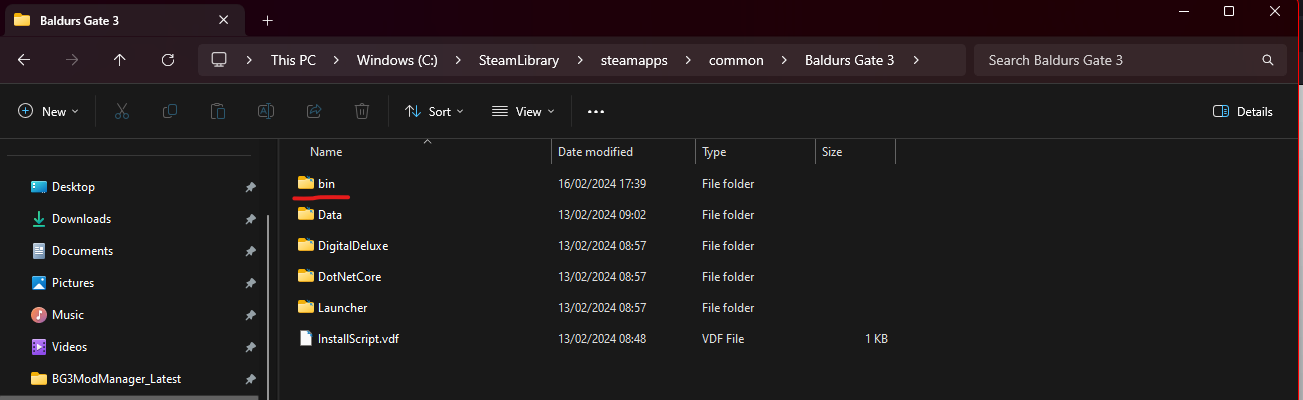
Then delete Dwrite.dll from your bin folder
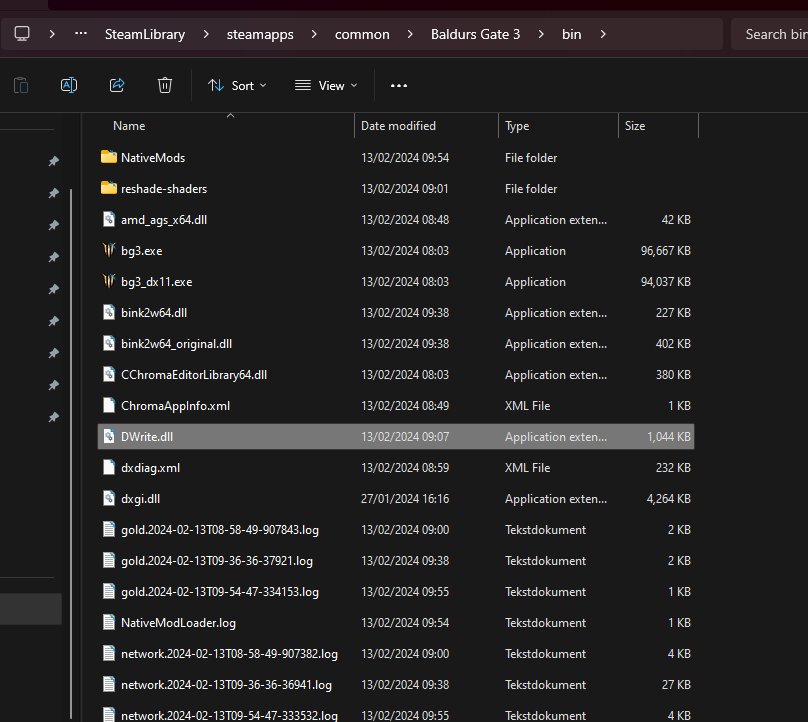
Delete ScriptExtenderSettings.json and ScriptExtenderUpdater.json if you have those as well

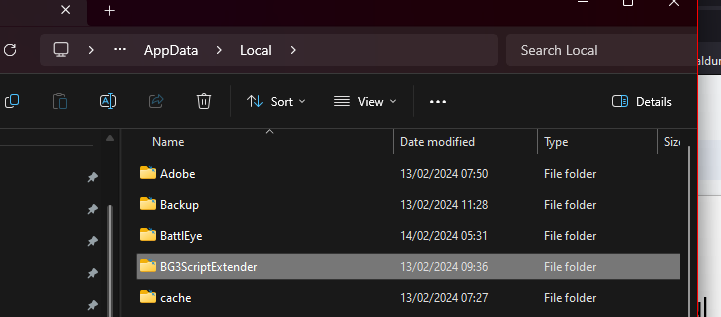
Then find the BG3ScriptExtender folder in your LocalAppdata folder
Tip
To go to your appdata folder, press the Windows Key + R and then type %localappdata%
Now delete the folder named BG3ScriptExtender
Warning
Make sure to only delete the BG3ScriptExtender folder.
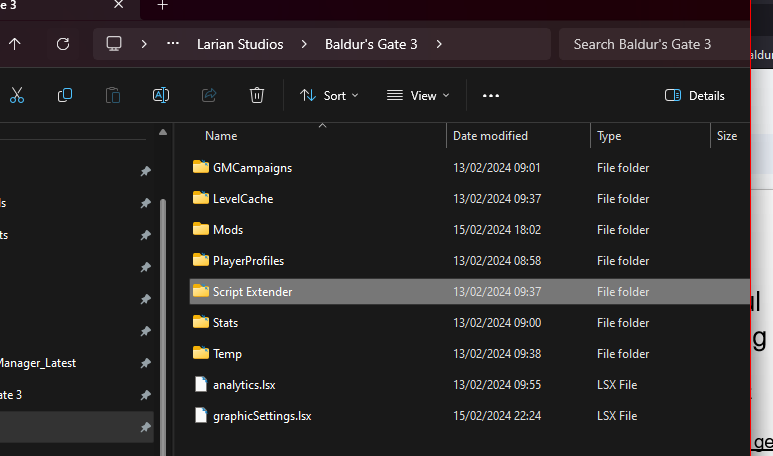
Now go to your Larian Studios folder, then Baldur's Gate 3: Delete the Script Extender folder you have in there (if you have it)
Warning
Make sure to only delete the Script Extender folder
Then run the game once, and then close the game
Then redownload SE. You can redownload via BG3MM (Tools, then extract and download Script extender) and then run the game once as Script Extender updates/installs on launch
Or you can download the script extender via github. Drop the Dwrite.dll in your bin folder and open the game once.
Danger
DO NOT GET THE SCRIPT EXTENDER FROM NEXUS!! THE NEXUS ONE IS NOT UPLOADED BY NORBYTE AND IT'S A PERSON WHO TRIED TO TAKE ADVANTAGE OF NORBYTE BY ENABLING DP (A FORM OF NEXUS MONEY!!!)
Credits:
Maze, Meowcat285
Norbyte for Script Extender
© Maze 2024, all rights reserved