How To Install Baldur’s Gate 3 Mod Manager
Guide By Maze
Note
This guide is meant for Baldur’s Gate 3 Mod Manager users - not vortex.
I personally do not use Vortex and therefore it is not with them in mind. I might make one in the future!
Step 1: Install Baldur’s Gate 3 Mod Manager
The first thing you gotta do is install Baldur’s Gate 3 Mod Manager.
Grab it here: https://github.com/LaughingLeader/BG3ModManager
To grab the latest version, scroll down to “Setup” and press Grab the latest release

It will then download a zip file
Step 2: Extract The ZIP file
Extract the zip file so it looks like this:

Step 3: Move the folder
Now you need to move the folder somewhere. It doesn't matter where it is as long it's not in a game folder. So do NOT place it in a larian or Baldur’s Gate 3 folder!
This means you can have it on your hard drive, on another drive or simply just your desktop. Personally I have it in my desktop like this:
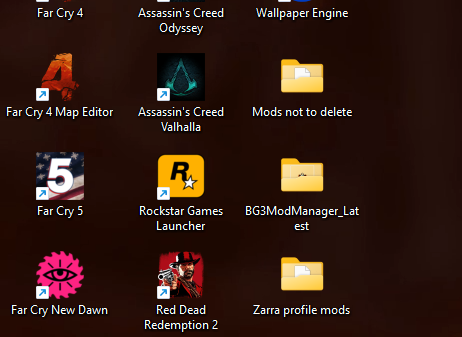
As you can see the BG3MM folder is just sitting there. Do NOT remove the exe/app from the folder. Let it sit with the rest of the stuff in there - it’s important for it to work correctly.
Step 4: Open BG3MM
Now we need to set up BG3MM. Open the folder and click on BG3ModManager
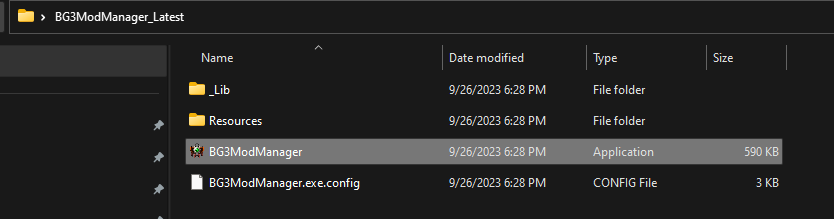
It should look like this:
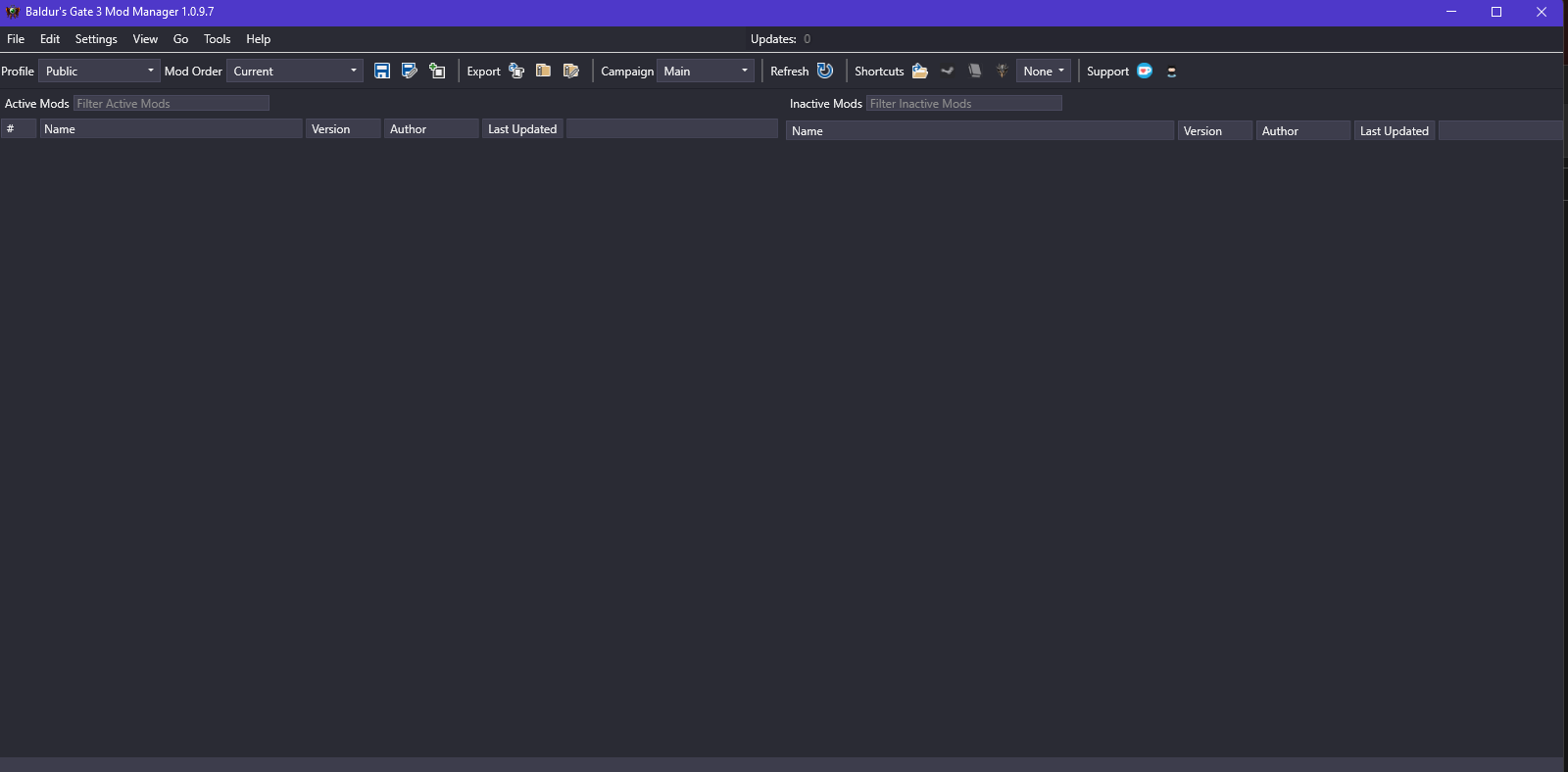
Step 5: Verify Profile Selection
You need to check if your profiles are correct. They can be found in the bar at the top to the left.
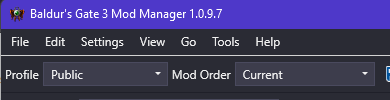
They should look like this.
Profile: Public
Mod Order: Current
Tip
If they are blank, open the game to the main menu and close it down. It should correct itself
Now you need to go into your settings, then preferences:
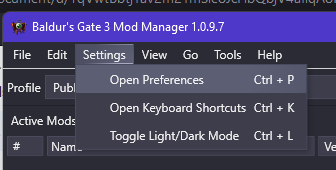
Tip
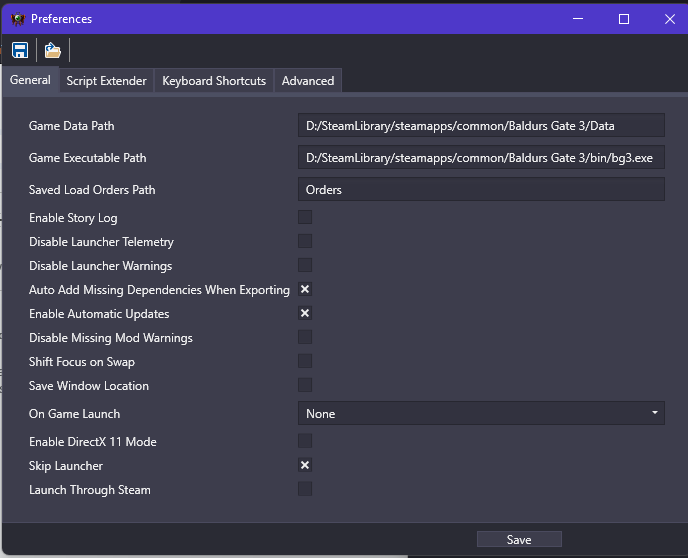
The preferences should look like this. Your game data path has to end with your data folder and your game executable path has to end with your bg3.exe.
If you do not know where they are, do this:
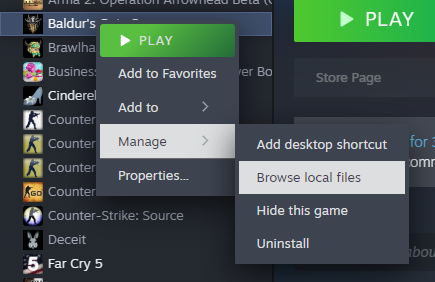
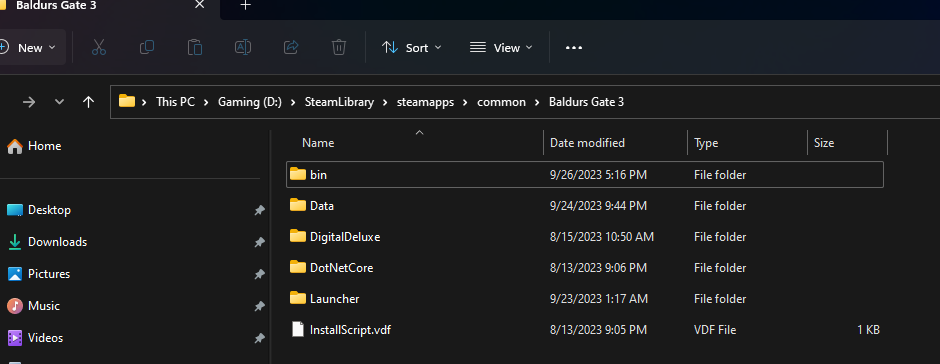
It will take you to your games root folder which has both the bin and data folder.
Path (could be different depending on system and harddrive):
D:\SteamLibrary\steamapps\common\Baldurs Gate 3
Now that you have finished installing BG3MM, you can continue on to the mods install guide
Continue to How to Install Mods Guide
Credits:
Maze, Meowcat285
LaughingLeader for BG3MM
© Maze 2024, all rights reserved