How to install custom body/face tattoo’s and makeup
Guide by Maze (edited by Meowcat285)
Tip
Make sure you have file name extensions on, because this will not work if you do not have it on.
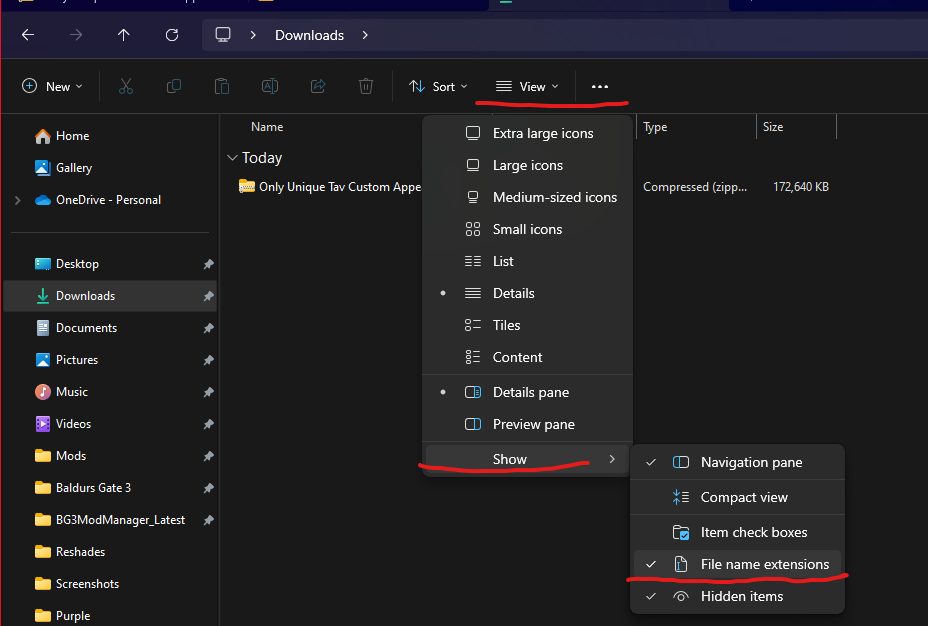
Step 1: Download the makeup/tattoo/body tattoo you wish to use
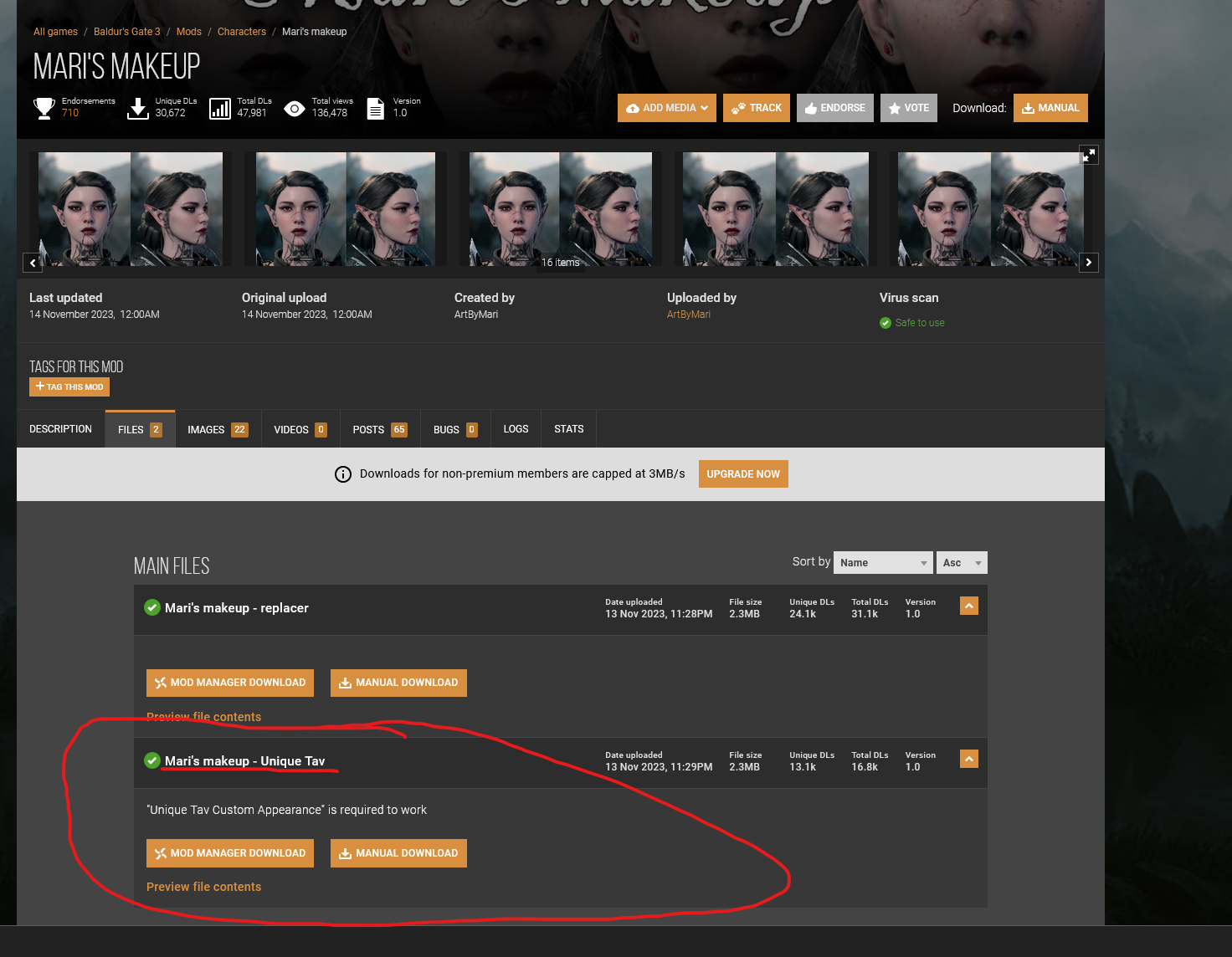
Some mod authors have pre-made compatible files for Unique Tav for face and make up. Mari’s tattoo/makeup collections has it pre-made for example.
For mods that have pre-made files, you just need to download the file containing Unique Tav in their name. For example:
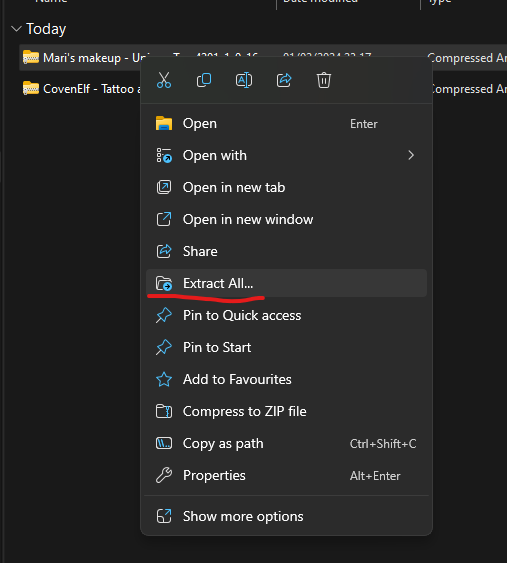
You will then need to extract the zip file.
Then you open the folder:
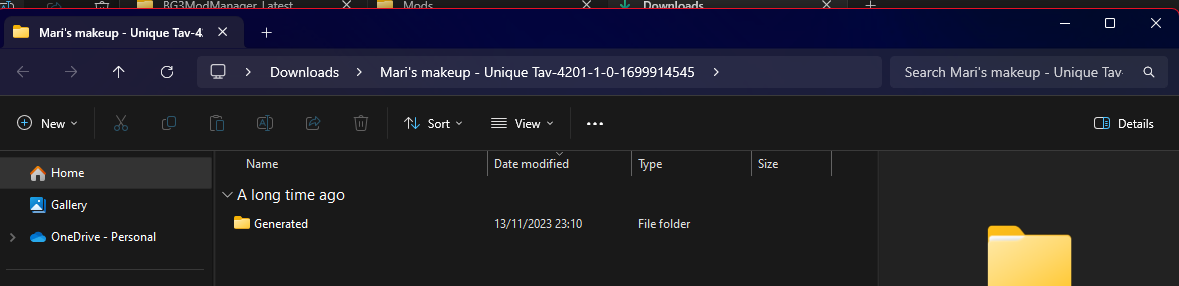
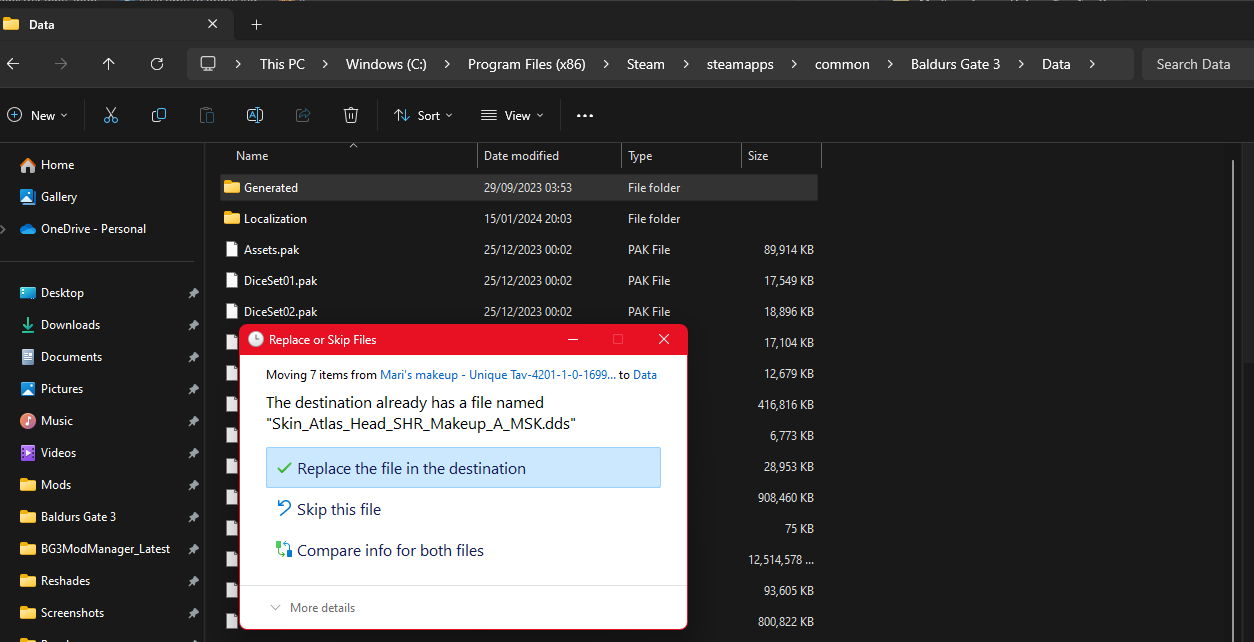
You will see a folder named Generated. Move this folder to your Baldur's Gate 3 data folder. It will merge the new contents of the folder with the current contents.
Tip
You may get a prompt to replace files, this is ok, and you should click on Replace the file in the destination.
This should work for most mods, but some mods like CovenElf Makeup/tattoo collection and Boring Tieflings are not compatible with Unique Tav, and you will need to convert it.
How to convert mods to be compatible with Unique Tav
Credits:
Maze, Meowcat285
Kartoffel for Unique tav
© Maze 2024, all rights reserved