How to install Unique Tav
Guide by Maze
Note
This will be a long guide with screenshots on how to install and use unique tav as I cannot be bothered to write this more than 500 times a day.
Warning
Turn on file name extensions on in file explorer. It is a really, really, REALLY important step!!
It may look different if you are on a different version of Windows, in that case - google how to enable it:
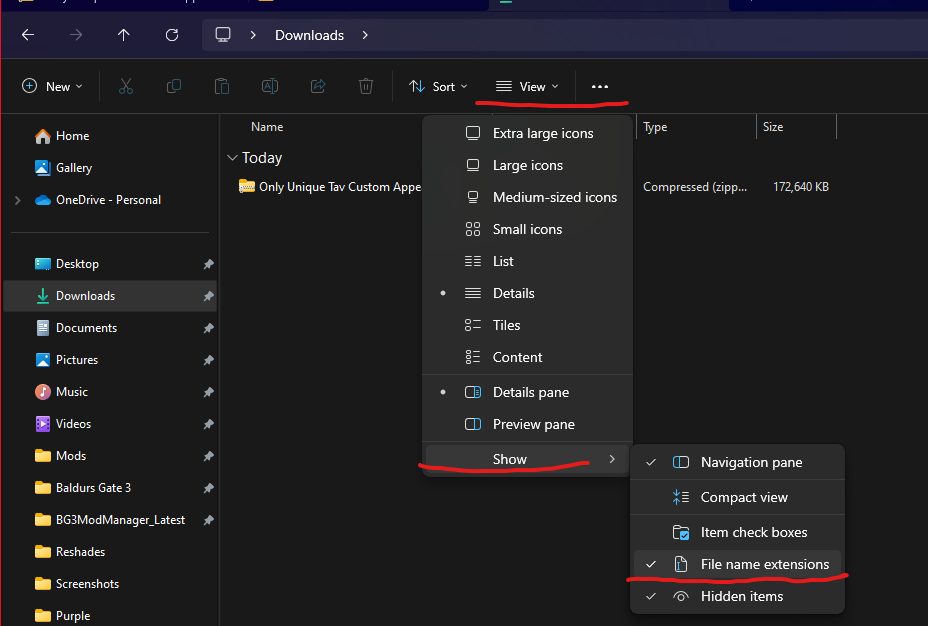
Go under view in file explorer, then go to show and go to file name extensions and check that.
Step 1: Download Unique Tav
https://www.nexusmods.com/baldursgate3/mods/2754
You need to download both pak and data
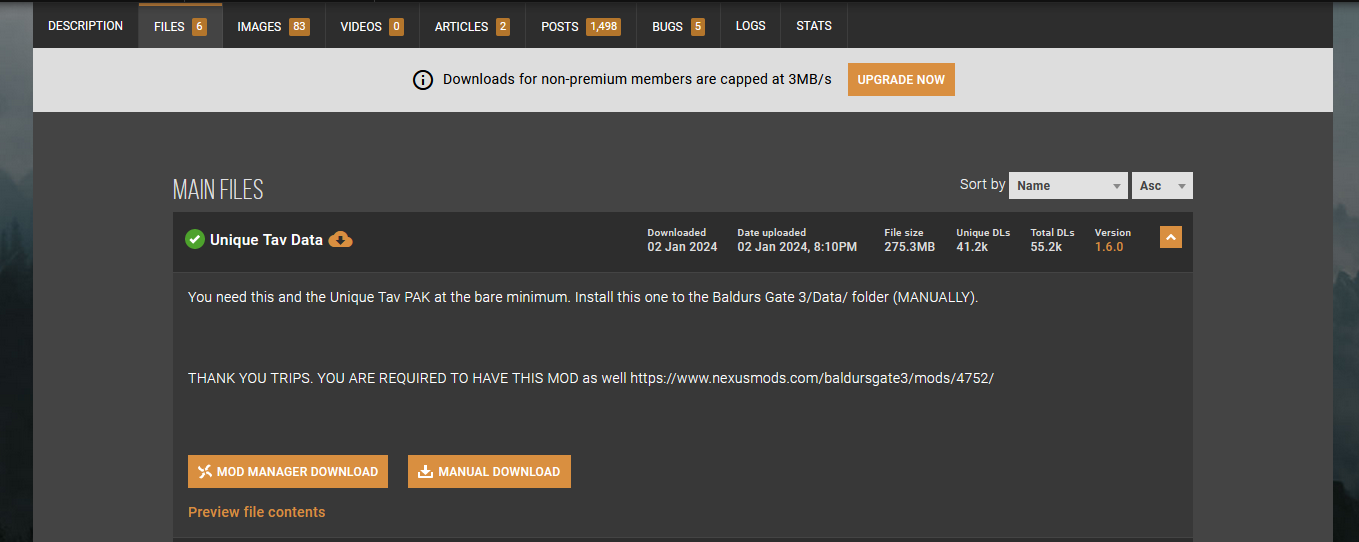
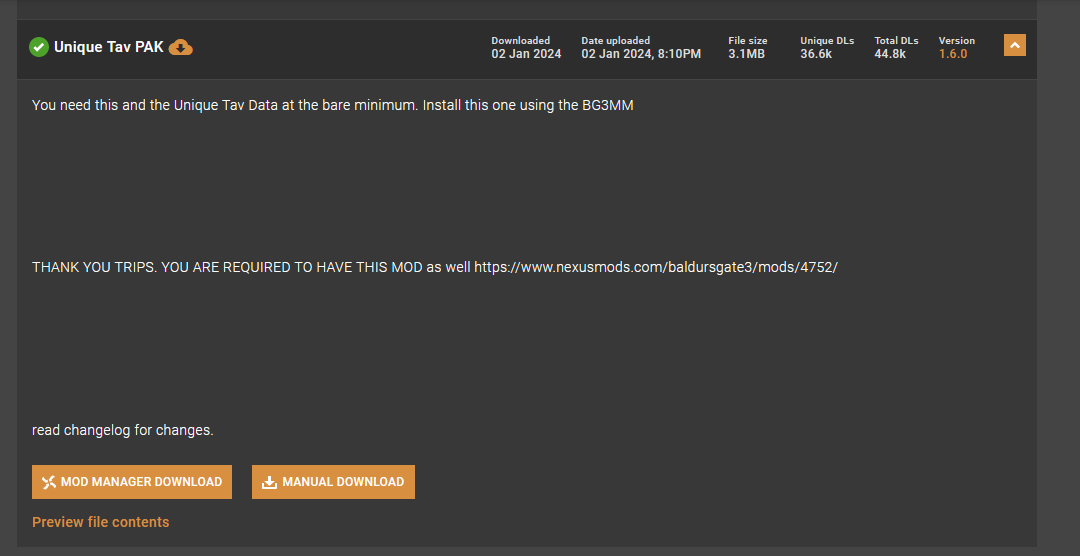
You will need need Trips Old Shaders as well:
https://www.nexusmods.com/baldursgate3/mods/4752
Tip
If you have Eyes of Beholder or Astralities' Glow Eyes, you will also need the patches for those. These are located under Unique tav, then under files and then under Optional files on nexus


Remember Eyes of Beholder and Astralities' Glow Eyes are incompatible so choose only one of those
Step 2: Pak file setup and load order
You need to put the pak files into your appdata mods folder

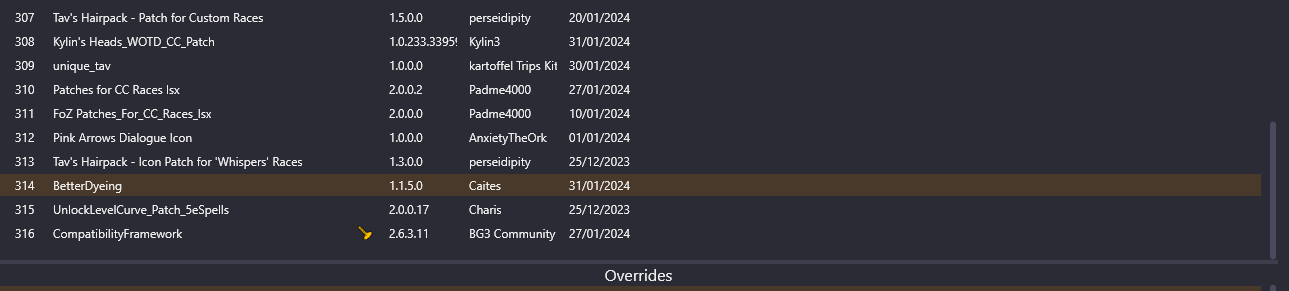
Now the load order in the mod manager: Unique tav needs to override other mods which means it should be very low in the load order (highest number on the load order, only a few mods should have a higher number than Unique tav) like this:
Warning
Trips Old Shader pak need to be in overrides, so please do not touch that.

Note
If you have Unique Tav and Eyes of Beholder or Astralities' Glow Eyes, then the load order should look like this:
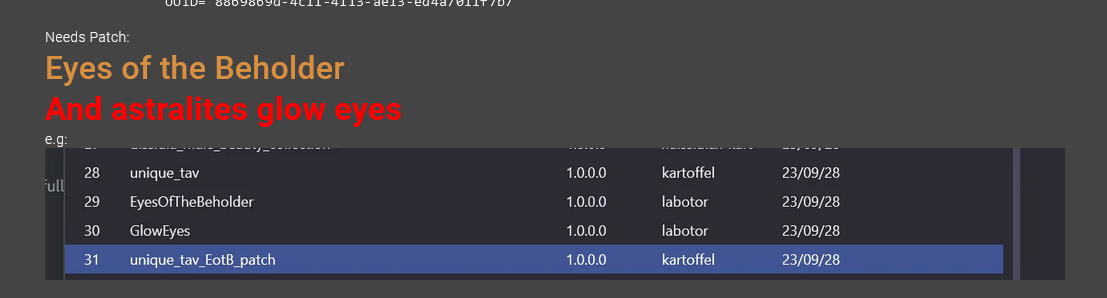
Just switch out Eyes of Beholder with Astralities' Glow Eyes if you use Glow Eyes instead of Eyes of Beholder. Again, this needs to be really low on your load order - so the HIGHEST number on your load order list. Only mods that should come after unique tav and the patches for Glow Eyes or Eyes of Beholder is Compatibility Framework etc
Step 3: Unique Tav Data setup
You will need to find the data folder for this step:
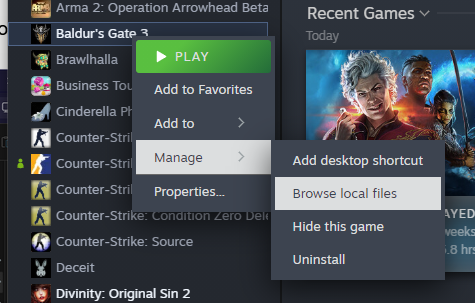
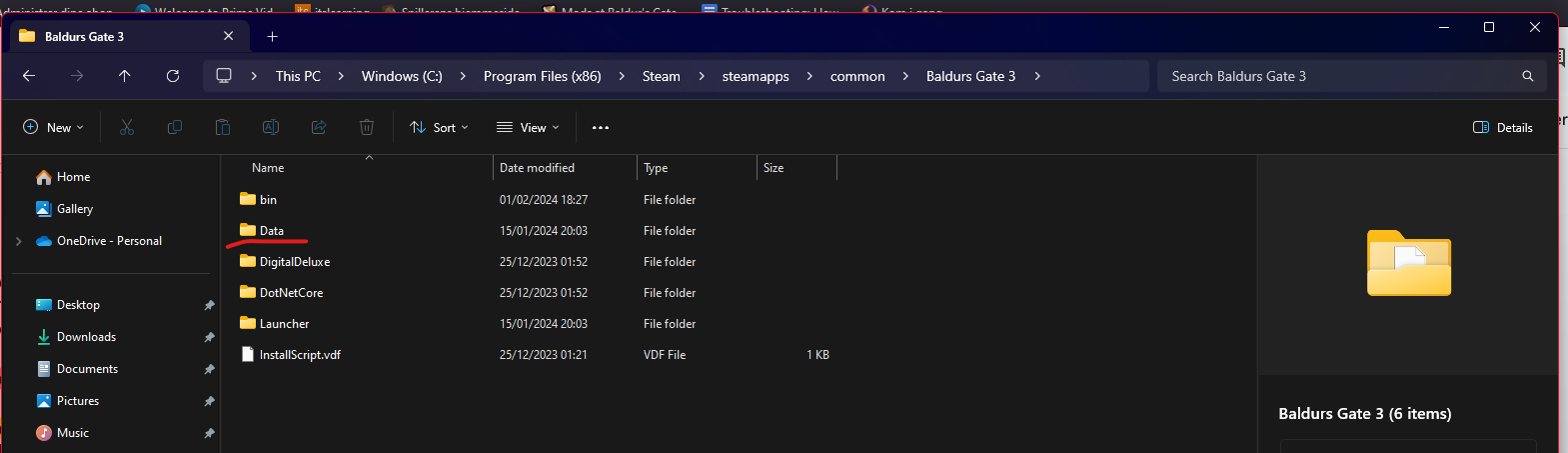
-
Open the data folder and have it open in another window of file explorer.
-
Now go back to your downloads folder in another window of file explorer
Now you have downloaded the Unique Tav Data folder and found your game’s data folder extract the zip file from Unique tav into your downloads folder
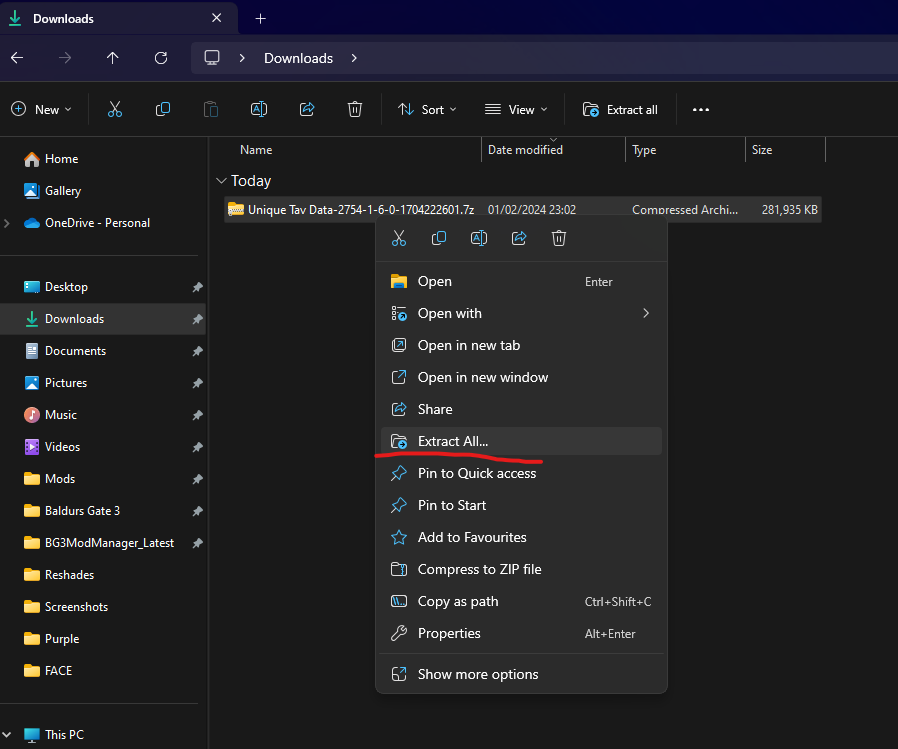
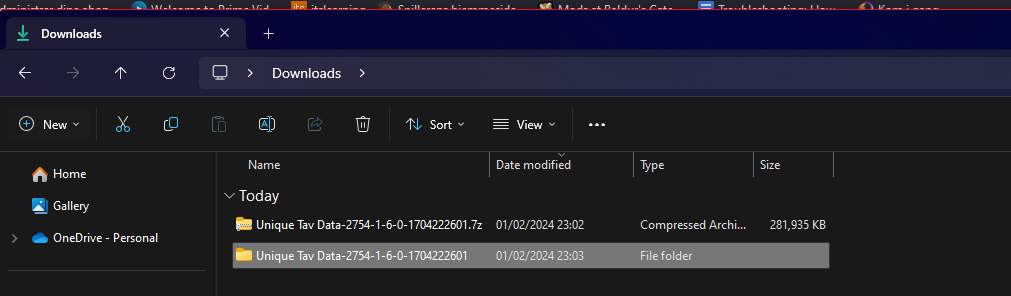
Now open the Unique tav folder
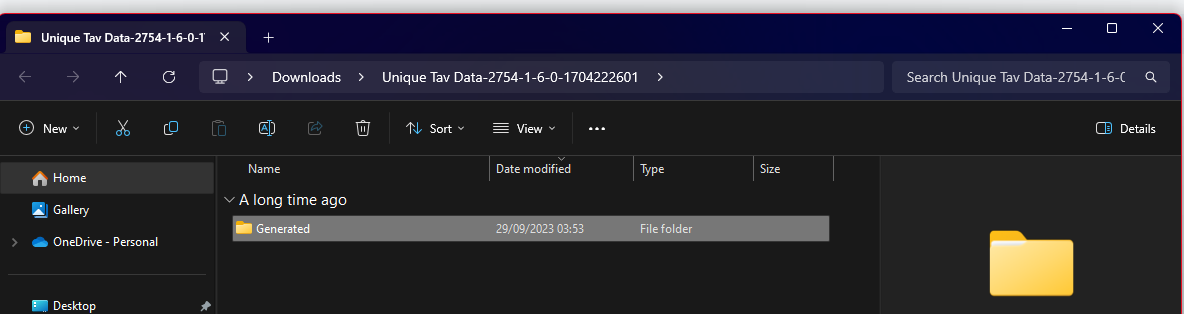
You will see a Generated folder: Move this Generated folder into your Data folder like this:
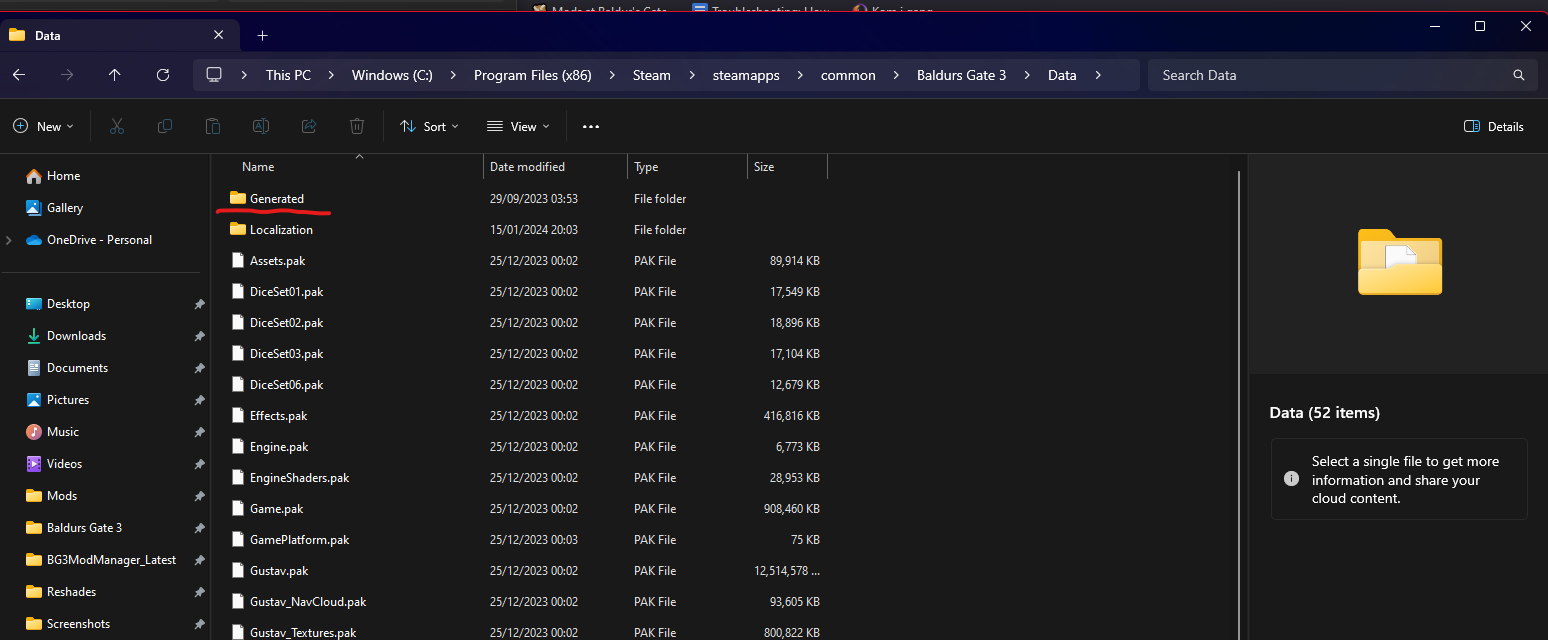
That is it. You have now installed Unique tav.
You can continue on to the How to install custom body/face tattoo’s and makeup guide
Credits:
Maze, Meowcat285
Kartoffel for Unique tav
© Maze 2024, all rights reserved