Frequently Asked Questions
Based on the #common-issues channel in the BG3 Modding Community Discord
Is the game not launching for whatever reason?
Do you use script extender and achievements enabler? Delete achievements enabler in your bin, then NativeMods folder (see screenshots on how to get there) Script extender and achievements enabler conflicts. Use script extender instead as it by default enables the achievements.
If it continues, use the troubleshooting guides.
Are the mods not showing up in your game?
Check for these 3 things:
-
A folder in your appdata/mods folder
(\Users\username\AppData\Local\Larian Studios\Baldur's Gate 3\Mods). Use windowskey + r then %localappdata% to get to your appdata folder, then find Larian Studios, Baldur's Gate 3, then Mods or use the shortcut via BG3MM if you use that.
Delete the folder if you have a folder in there. A folder can reset your modsetting.lsx which deactivates the mods. If you use vortex, check if your mods is set as the correct thing (injector, replacer etc) as some mods are required to be set as something specific (like tattoo mods etc)
-
Check for a debug profile in your appdata playerprofiles folder
The only folder that should be in there is the public folder. Custom and Debug folders can cause the saves and mods to vanish. Deleting them should help with the issue. (Achivements enabler has been known to create debug profiles if you also use script extender)
-
Neither of the first 2?
Preferably use BG3MM for this part. Open your game, refresh BG3MM, does the mod go inactive? Close the game, refresh BG3MM, check if they go inactive. If they do go inactive, follow this:
So what you need to do is take all your mods out of your mods folder
Then you need to delete the modsetting file (that is inside the public folder)
-
After that you put the mods back in batches
-
You refresh bg3mm, set it active and save order
-
Open the game
-
Close the game
-
See if the mods have gone inactive
-
If not, keep going
-
If yes, then one of the mods you added is the issue
If you use vortex for the 3rd one: Disable any new/updated mods you have recently added If that does not fix the issue, disable the mods one on one. Preferably test everything in a new save/campaign, and not on an older save
Cant join other players in multiplayer
-
Screenshare with each other
-
Check you have same mods
-
Check its the same versions
-
Check its the same mod load order
If that does not work, do this:
-
Remove all mods from your mods folder (or purge if its in vortex)
-
Add one mod or mods in batches
-
Deploy if in vortex, save order or export order if its in bg3mm
-
Open game, see if you can join
-
If you cant, you have found your problem mod
-
If you can, keep going by adding the mods and rinse and repeat the steps above
Tip
Remember to actually take the mods out of the mods folder, and not make the mods inactive. Inactive mods can still affect the game, esp if they are brown
Do you see this naked durge harem when you create a new character?
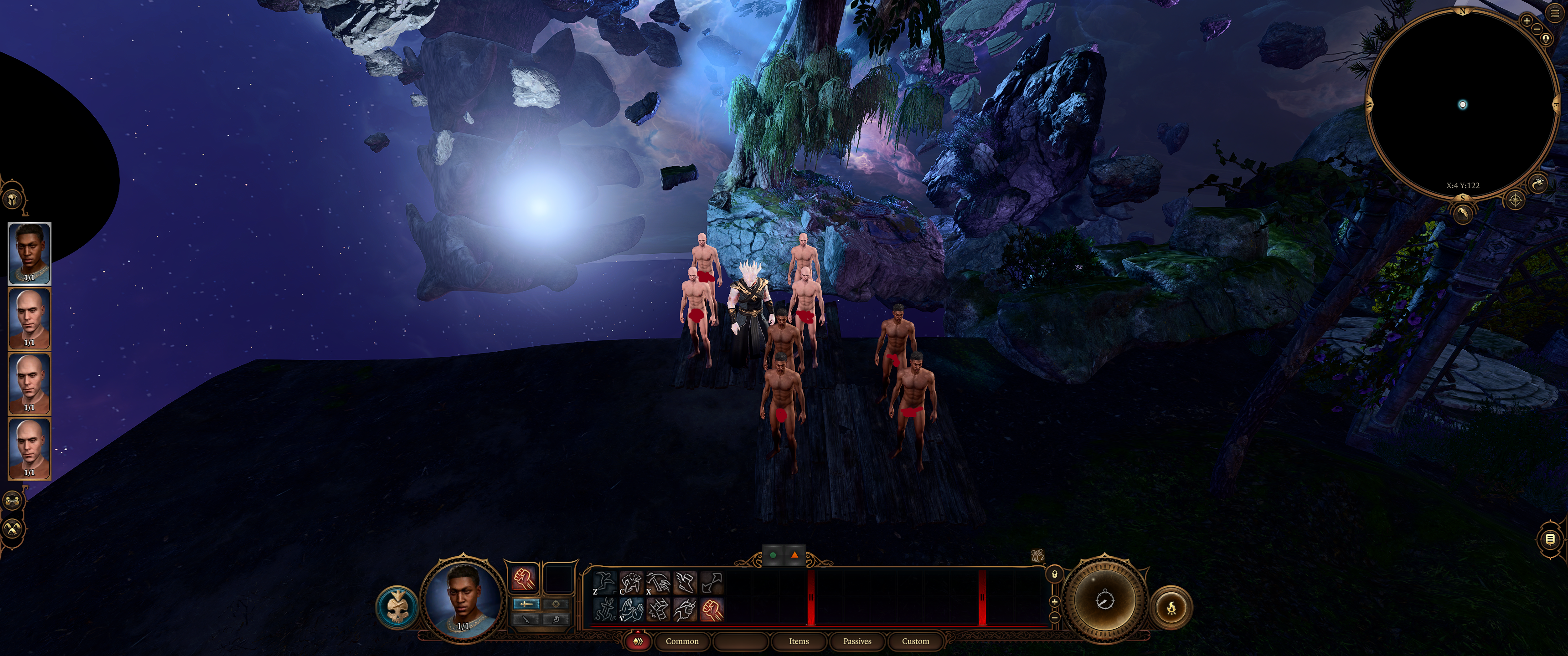
Then you need the mod fixer from Nexus: https://www.nexusmods.com/baldursgate3/mods/141
If you have it, check it is not hidden in a folder in your Appdata mods folder (check further up, under "Mods not showing up" to see how to get there)